Secure Your Home Network from Digital Eavesdropping
You’ve probably felt that unsettling prickle of paranoia: the sense that someone might be looking over your digital shoulder, even in the presumed safety of your own home. It’s an increasingly valid concern. With every smart device we add to our Wi-Fi—from smart TVs to home assistants and even ‘smart’ kitchen appliances—we open more potential doorways into our personal data. It’s not just about stopping hackers from stealing your credit card number; it’s about protecting your conversations, your browsing history, and even your peace of mind. The common advice—change your password frequently—is a good start, but in my experience, it barely scratches the surface of true home network security. Many people overlook fundamental vulnerabilities that allow for digital eavesdropping, turning their home network into a surprisingly open book for anyone with a bit of technical know-how. This article isn’t about fear-mongering; it’s about empowerment, giving you the specific, actionable strategies I’ve used to truly lock down my own home network against prying digital eyes.
Key Takeaways
- Segment your home network to isolate smart devices from sensitive data.
- Regularly update all firmware and software, especially on your router and smart devices.
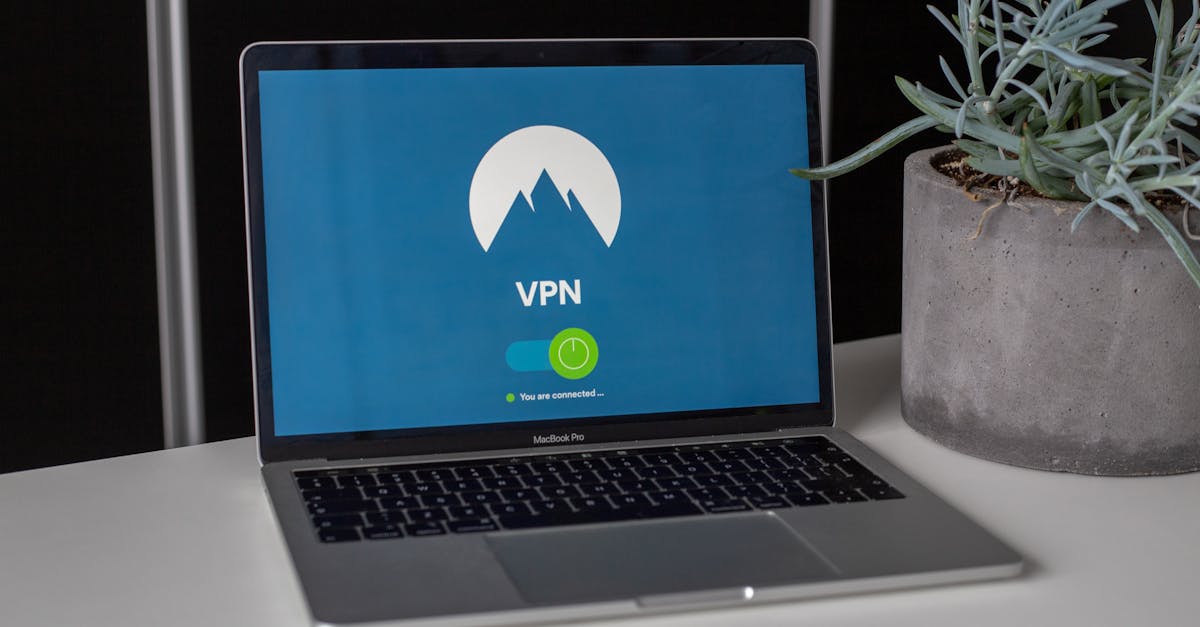
- Use a Virtual Private Network (VPN) on your router for whole-home encryption.
- Disable Universal Plug and Play (UPnP) to prevent unauthorized device mapping.
Segment Your Network with a Guest Wi-Fi or VLAN
When I first started taking home network security seriously, my biggest misconception was that all devices on my Wi-Fi were equally trustworthy. I quickly learned this was a dangerous assumption. Every smart light bulb, voice assistant, and connected thermostat is a potential vulnerability. If one of these devices is compromised, a hacker could use it as a bridge to access more sensitive devices on your main network, like your computer where you store financial documents, or your smartphone with all your personal communications.
What changed everything for me was implementing network segmentation. The simplest way to do this for most home users is to leverage your router’s guest Wi-Fi network. Most modern routers offer this feature, allowing you to create a separate network with its own password. Connect all your smart home devices (IoT gadgets, smart TVs, streaming sticks) to this guest network, and keep your computers, phones, and tablets with sensitive data on your main, password-protected network. The guest network is typically isolated from your main network, meaning even if an IoT device on the guest network is breached, the attacker can’t easily jump to your primary devices.
For those with more technical expertise and compatible hardware, setting up a Virtual Local Area Network (VLAN) offers even more granular control. A VLAN allows you to logically separate devices within the same physical network infrastructure, creating distinct ‘sub-networks’ for different types of traffic or devices. For example, you could have one VLAN for your smart home devices, another for your work devices, and a third for entertainment. This provides a stronger layer of isolation than a typical guest Wi-Fi, which might still allow some basic communication between networks. In my own setup, I use a VLAN for my security cameras, ensuring their video feeds can’t be accessed by any other device on my network unless explicitly permitted. This level of isolation is crucial for mitigating the ‘domino effect’ of a single compromised device.
Regularly Update Router and Smart Device Firmware
Many of us treat our routers like set-it-and-forget-it appliances. The mistake I see most often is neglecting router firmware updates. Your router is the literal gatekeeper of your home network; it’s the first line of defense against external threats. Outdated firmware often contains known security vulnerabilities that hackers actively exploit. Think of it like leaving your front door unlocked because you haven’t bothered to install the new, more secure lock the manufacturer sent you.
What changed everything for me was setting a recurring calendar reminder, every three months, to check for firmware updates for my router. The process typically involves logging into your router’s administration interface (usually via a web browser), finding the firmware update section, and following the instructions. Some newer routers even offer automatic updates, which I highly recommend enabling if available. Don’t wait until there’s a problem; proactive updating is key.
The same diligence applies to your smart devices. Smart TVs, security cameras, smart speakers, and even smart light bulbs run on their own software, or firmware, which can also have security flaws. Manufacturers frequently release updates to patch these vulnerabilities. While some devices update automatically, many require manual checks through their respective apps or even directly on the device’s settings. In my experience, neglecting these updates is like inviting a digital squatter into your home. A compromised smart device could, at best, leak usage data, and at worst, provide a backdoor into your entire network for a skilled digital eavesdropper. Always check the manufacturer’s website or app for the latest security patches.
Implement a Router-Level Virtual Private Network (VPN)
Most people think of a VPN as an app they install on their laptop or phone for secure browsing when out and about. While that’s true, it’s only half the story. The mistake I see most often is people not extending that layer of protection to their entire home network. If you only use a VPN on specific devices, all other devices connected to your Wi-Fi are still sending their traffic unencrypted and vulnerable to eavesdropping, both from external threats and potentially even from your Internet Service Provider (ISP).
What changed everything for me was setting up a VPN directly on my router. This means that every device connected to my home Wi-Fi network—whether it’s my smart TV, my gaming console, a guest’s laptop, or even a smart plug—automatically benefits from the VPN’s encryption and anonymization. It creates a secure tunnel for all outgoing and incoming traffic, making it significantly harder for anyone to intercept or monitor your online activities. Installing a VPN at the router level is a one-time setup that provides continuous, blanket protection without needing to install VPN software on each individual device.
Be aware that not all routers support VPN client functionality, and the setup process can be a bit more technical. You’ll need a VPN provider that supports router configurations (OpenVPN or WireGuard protocols are common). The benefits, however, far outweigh the initial effort. Beyond privacy from eavesdropping, a router-level VPN can also help bypass geo-restrictions on streaming content across all your devices and prevent your ISP from throttling your internet speed based on your online activities. It’s a foundational layer of security that fundamentally shifts the privacy posture of your entire home network.
Disable Universal Plug and Play (UPnP)
Here’s a non-obvious security vulnerability that almost everyone overlooks: Universal Plug and Play, or UPnP. It’s a feature designed for convenience, allowing devices on your network to discover each other and open ports automatically. On the surface, this sounds great—your new game console or security camera can set itself up with minimal fuss. The mistake I see most often, however, is that this convenience comes at a significant security cost.
UPnP essentially acts as an open door, allowing any device on your network (and potentially even malicious software) to automatically configure your router’s firewall settings without your explicit permission. This means that a piece of malware on a single compromised smart device could use UPnP to open ports on your router, creating a direct pathway for an attacker to access your internal network or even use your network for illicit activities, all without you ever knowing. It completely bypasses your router’s security controls, making digital eavesdropping and intrusion much simpler for attackers.
What changed everything for me was the simple act of disabling UPnP on my router. The process is usually straightforward: log into your router’s administration interface, navigate to the UPnP settings (it might be under Advanced, NAT Forwarding, or a similar section), and simply turn it off. Yes, this might mean you have to manually configure port forwarding for certain applications or devices, but this manual configuration gives you explicit control and visibility over what traffic is allowed in and out of your network. In my experience, the minor inconvenience of manually setting up a few ports is a small price to pay for the massive security gain you get from closing this potentially wide-open door. It’s a critical step in preventing unauthorized access and digital eavesdropping on your home network.
Implement Strong, Unique Passwords and Two-Factor Authentication
This might seem like basic advice, but the number of people who still use weak, recycled passwords for their Wi-Fi and online accounts is staggering. The mistake I see most often is people thinking a simple password like ‘mywifiname123’ is enough, or worse, using the default password that came with their router. These are incredibly easy for attackers to guess or crack, especially with automated tools.
What changed everything for me was embracing a password manager. This tool generates and stores strong, unique passwords for every single online account and device. Your Wi-Fi password should be no exception. It should be a long, complex string of characters—numbers, symbols, upper and lowercase letters—that is nearly impossible to guess. Don’t write it down on a sticky note under your router; use a secure password manager that can generate and store it for you. In my experience, investing in a good password manager is one of the highest-impact security decisions you can make for your digital life.
Beyond strong passwords, two-factor authentication (2FA) is absolutely non-negotiable for any account that offers it. This includes your router’s login, smart device accounts (like your smart home hub or security camera apps), and all your critical online services (email, banking, social media). 2FA adds a second layer of verification—usually a code sent to your phone or generated by an authenticator app—making it exponentially harder for an unauthorized person to access your accounts, even if they somehow get your password. It’s an essential safeguard against digital eavesdropping, as it protects the access points to your data, even if the primary password is compromised. Don’t hesitate to enable it on every service possible.
Regularly Audit Connected Devices and Network Activity
Securing your network isn’t a one-time task; it’s an ongoing process. The mistake I see most often is people setting up their security measures and then never checking them again. Networks are dynamic, with new devices connecting and leaving, and new vulnerabilities emerging. Without regular auditing, you could unknowingly have unauthorized devices on your network or discover suspicious activity too late.
What changed everything for me was creating a simple, monthly habit: I log into my router’s administration panel and check the list of currently connected devices. Most routers will show you a list of devices with their IP and MAC addresses. I’ve learned to recognize my own devices, and any unfamiliar device raises a red flag. If I see something I don’t recognize, it’s an immediate investigation: is it a neighbor’s device trying to hop on, or something more malicious? If it’s truly unknown, I immediately change my Wi-Fi password and investigate further.
For those who want to go deeper, network monitoring tools (some routers have basic versions built-in, or you can use third-party software like Wireshark for advanced users) can help you inspect network traffic for anything unusual. This might reveal attempts at digital eavesdropping, unusual data transfers, or connections to suspicious external servers. While this level of analysis might be overkill for the average user, simply reviewing your connected devices regularly is a high-impact action that anyone can take. In my experience, this proactive vigilance helps you stay one step ahead of potential digital threats and ensures your home network remains your private sanctuary.
Frequently Asked Questions
What is digital eavesdropping on a home network?
Digital eavesdropping refers to the unauthorized interception and monitoring of data transmitted over your home network. This can include sniffing unencrypted Wi-Fi traffic to capture browsing history, login credentials, personal messages, or even accessing smart devices like security cameras or microphones to listen in on conversations within your home. It can occur from outside your network (if your Wi-Fi is poorly secured) or from a compromised device within your network.
How can I tell if my home network is being eavesdropped on?
It can be challenging to detect digital eavesdropping without specialized tools. However, some signs might include unusually slow internet speeds (indicating high traffic usage by an unauthorized party), unfamiliar devices appearing in your router’s connected device list, or unexpected changes in your smart device behavior (e.g., lights turning on/off randomly, cameras moving without command). Regularly checking your router logs and connected devices is your best proactive measure.
Is public Wi-Fi more susceptible to eavesdropping than home Wi-Fi?
Yes, public Wi-Fi networks are generally far more susceptible to eavesdropping. They are often unencrypted or use weak encryption, and many users are connected simultaneously, making it easier for an attacker to intercept data from other users on the same network. Home Wi-Fi, when properly secured with WPA2/WPA3 encryption, strong passwords, and other protective measures, offers a much higher level of privacy and security.
Can my Internet Service Provider (ISP) eavesdrop on my network?
Your ISP can see your internet traffic, including which websites you visit (via DNS requests and IP addresses), the services you use, and the amount of data you transfer. However, they generally cannot ‘eavesdrop’ on the content of encrypted communications (like those over HTTPS or a VPN). Using a router-level VPN is an effective way to encrypt all your network traffic from your ISP, preventing them from monitoring your online activities.
Should I change my Wi-Fi password regularly?
While changing your Wi-Fi password frequently used to be standard advice, modern security practices prioritize strong, unique passwords that are nearly impossible to guess and enabling WPA3 (if your router and devices support it). Instead of frequent changes, focus on having an incredibly strong password from the start, and only change it if you suspect a breach, have a guest leave, or introduce new devices to your network that might have been compromised. Consistent strong security practices are more effective than simply changing a weak password often.
Protecting your home network from digital eavesdropping isn’t just a technical challenge; it’s about reclaiming your digital peace of mind. By taking these proactive steps—segmenting your network, keeping firmware updated, using a router-level VPN, disabling UPnP, and practicing strong password hygiene—you create a robust defense that turns your home network into the private sanctuary it’s meant to be. Start with one step today, and build your digital fortress one layer at a time. Your privacy is worth it.
Written by Clara Jenkins
productivity and home organization
A former elementary school teacher, Clara brings a knack for simplifying complex ideas into digestible steps.
You Might Also Like

The 20-Degree Rule for Home Heating and Cooling: Why Most Advice Misses the Mark
Discover why the common 20-degree rule for home heating and cooling often fails. Learn the strategic adjustments for real energy savings and comfort.

7 Reasons Your Smart TV Feels More Frustrating Than Fantastic
Smart TVs promise seamless entertainment, but often disappoint. Discover 7 overlooked reasons your TV is frustrating you, and how to fix them.

A Beginner's Guide to Thoughtfully Evaluating Online Reviews for Products
Learn to cut through online review bias and find genuinely useful product insights. Discover common pitfalls and how to spot authentic feedback.